Showing posts with label ota. Show all posts
Showing posts with label ota. Show all posts
Wednesday, March 1, 2017
A7000 OFFICIAL STOCK MARSHMALLOW UPDATE FOR LENOVO A7000 OTA OFFICIAL 04 07 2016
A7000 OFFICIAL STOCK MARSHMALLOW UPDATE FOR LENOVO A7000 OTA OFFICIAL 04 07 2016

OFFICIAL LENOVO A7000 VIBE UI V6 STOCK MARSHMALLOW UPDATE
MODEL NAME : LENOVO A7000-a
MODEL NUMBER : A7000
BUILD NO : 21/06/2016
TYPE : OTA
OS: 6.0
ANDROID VERSION: MARSHMALLOW
FILE SIZE : 25.29 MB
FILE SIZE : 25.29 MB
INSTRUCTIONS:
- DOWNLOAD OFFICIAL MARSHMALLOW ROM.ZIP
(NOTE: DOWNLOAD ACCORDING TO YOUR CURRENT BUILD NUMBER)
- AND RENAME IT TO UPDATE.ZIP & PASTE IT TO ANY SD CARD
- NOW POWER OFF YOUR DEVICE
- PRESS VOL+ VOL- & POWER KEY TO OPEN RECOVERY
- SELECT LANGUAGE
- SELECT "INSTALL UPDATE FROM SDCARD"
- CHOOSE UPDATE.ZIP
- WAIT TILL THE INSTALLATION COMPLETES AND REBOOT.
NOTE: IT MAY GET STOP AT 49%, ITS NORMAL(WAIT TILL IT COMPLETES)
SCREENSHOTS

DOWNLOAD LINKS
(LATEST : S228)
(LATEST : S228)
A7000-A S225 TO_A7000-A S228
A7000-A S223 TO_A7000-A S225
A7000-A S153 TO_A7000-A S223
**MIRROR LINKS WILL BE POSTED SOON**
NOTE: DOWNLOAD UPDATE FILE ACCORDING
TO YOUR CURRENT BUILD NUMBER
(LATEST : MARSHMALLOW)
NOTE:
Available link for download

Thursday, February 23, 2017
STOCK MOTO X PLAY XT1562 STOCK 6 0 1 MARSHMALLOW ROM FLASHING GUIDE 23 03 2016 OTA
STOCK MOTO X PLAY XT1562 STOCK 6 0 1 MARSHMALLOW ROM FLASHING GUIDE 23 03 2016 OTA
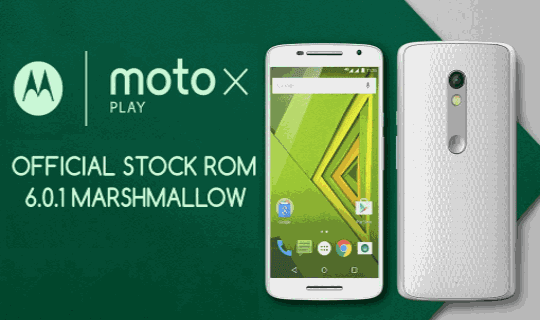
OFFICIAL MOTO X PLAY XT1562 STOCK 6.0.1 MARSHMALLOW ROM
This Tutorial shows how to flash Moto X Play with official Stock Marhsmallow ROM 6.0.1 [NEW]
This Tutorial shows how to flash Moto X Play with official Stock Marhsmallow ROM 6.0.1 [NEW]
CREDITS: #Eshwag Reddy
(For GDrive Mirror Link)
OTA LINKS ALSO ADDED !!!
OTA LINKS ALSO ADDED !!!
PREREQUISITES
1. VERIFY YOUR DEVICE MODEL NUMBER IS XT1562.
2. ENABLE DEVELOPER SETTINGS.
2. ENABLE DEVELOPER SETTINGS.
3. ENABLE USB DEBUGGING AND AND TRUST THE CONNECTION.
4. DOWNLOAD ADB INSTALLER, FASTBOOT, AND ROM.ZIP
5. MAKE SURE THE DEVICE IS FULLY CHARGED.
Step 1: Download Moto X play 6.0.1 Firmware zip, Adb installer and Fastboot Zip from the below download section.
Step 2: Create a New Folder with any name inside C Drive (C:) .

Step 3: Extract Fastboot Zip to the newly created folder inside C: .
Step 4: Extract the Firmware zip inside the same newly created folder.
Step 5: Run Adb Installer application file.
( IMPORTANT: Right Click Adb Installer and select "Run as Administrator" )
Step 6: Activate Developer Setting by tapping Build number 7-times in "About Phone" Section.
Step 7: Connect your Mobile and Enable "USB debugging" from Developer Settings.
Step 8: Trust the connection by checking "Always allow from this computer" when you plug in the device for the first time.
Step 9: Run "reboot.bat" file to boot into Bootloader / Fastboot.
Step 10: After rebooting into Bootloader / Fastboot, Run "flash.bat" file to start flashing the ROM 6.0.1.
Step 11: Wait Till it asks you to "Press Any key to Continue" in command prompt.
Step 12: Reboot the mobile, it takes several minutes to boot the device with a newer version.
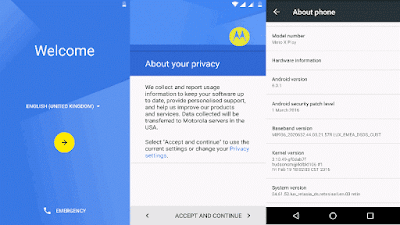
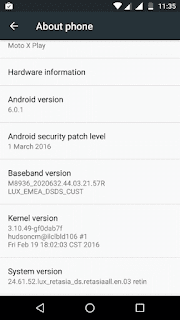
DOWNLOAD ROM(XT1562)
DIRECT DOWNLOAD
GOOGLE DRIVE
FLASH TOOL
ADB INSTALLER
FASTBOOT ZIP
OTA ZIP (385MB)
DRIECT DOWNLOAD
INSTRUCTIONS
- Download & Save the downloaded file to Root of SD Card (External Memory Card)
- Now Restart your device once.
- After restarting go to Settings –> About Phone –> System Updates.
- The device will automatically recognize the Update and user will be prompted to apply the update.
- If Update is not recognized by device try rebooting the device
- Done!!!
ALSO READ>>> SONY XPERIA WALKMAN, ALBUM, MOVIES FOR NON ROOTED DEVICES 5.0+
Available link for download
Subscribe to:
Posts (Atom)